

7 Critical Data Visualization Mistakes Sabotaging Algorithmic Trading Strategies
Fix the 7 most damaging data visualization mistakes in algorithmic trading — overplotting, linear vs log scales, hidden drawdowns, cherry-picking, poor color, static charts, and missing holistic metrics. Python fixes with Matplotlib and Plotly.
7 Critical Data Visualization Mistakes Sabotaging Your Algorithmic Trading Strategies (And How to Fix Them)
Imagine pouring weeks into coding a promising mean-reversion strategy in Python, only to watch it deliver mediocre results in live trading. The backtest looked spectacular on your screen with a smooth equity curve climbing steadily upward. Yet reality disagreed.
The culprit? Often, it's not the strategy logic itself, but how you visualized the data. Poor visualizations hide risks, exaggerate performance, and lead to overconfident decisions that cost real capital.
In algorithmic trading, data visualization is your bridge between raw numbers and actionable insight. It helps you spot patterns, validate hypotheses, and communicate strategy behavior. But small mistakes can create dangerously misleading pictures.
In this comprehensive guide, you'll learn the most damaging visualization errors beginner to intermediate algo traders make, why they matter for strategy development and risk management, and exactly how to avoid them using practical Python code.
Why Data Visualization Matters More Than You Think in Algo Trading
Effective visualization isn't just about pretty charts — it's a core part of quantitative analysis. It reveals overfitting, highlights regime shifts, and exposes hidden correlations that summary statistics alone miss.
Ignoring proper visualization practices often leads to false confidence in backtested performance, missed opportunities to improve risk-adjusted returns, and difficulty diagnosing why a strategy fails in production.
Mistake 1: Overplotting — When Your Charts Become Unreadable Noise
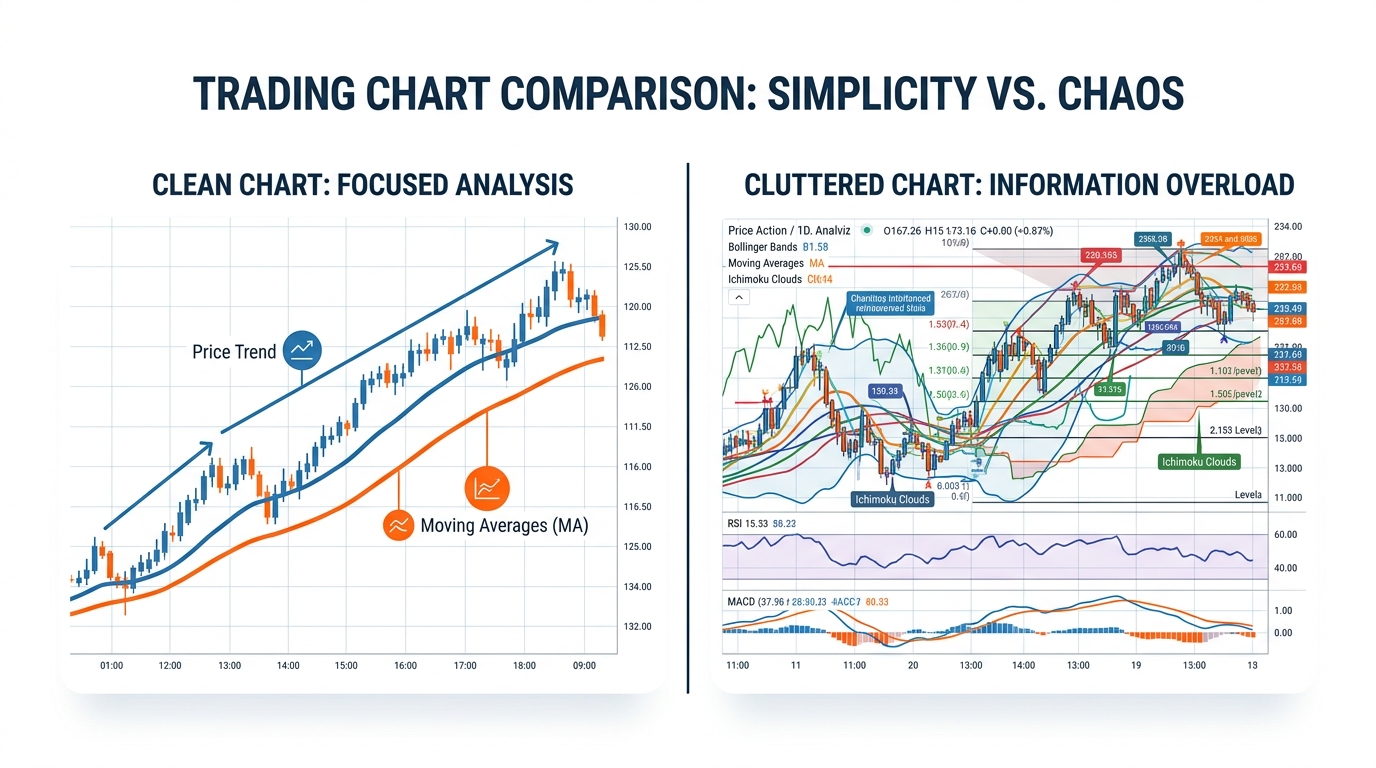
Have you ever stared at a price chart with dozens of indicators layered on top and felt completely overwhelmed? Adding every technical indicator — RSI, MACD, Bollinger Bands, moving averages, volume — creates visual chaos.
Why it hurts: You miss critical price action and subtle regime changes. Overloaded charts make it harder to validate entry/exit signals during backtesting.
How to Fix It: Start simple. Focus on price action first, then add one or two complementary indicators.
1import pandas as pd
2import matplotlib.pyplot as plt
3import numpy as np
4
5fig, (ax1, ax2) = plt.subplots(2, 1, figsize=(12, 8), gridspec_kw={'height_ratios': [3, 1]})
6# Price and key indicators on primary axis
7ax1.plot(df.index, df['Close'], label='Close Price', color='blue', linewidth=2)
8ax1.plot(df.index, df['SMA_50'], label='50-day SMA', color='orange', alpha=0.8)
9ax1.plot(df.index, df['SMA_200'], label='200-day SMA', color='red', alpha=0.8)
10ax1.set_title('Clean Price Action with Key Moving Averages')
11ax1.legend(); ax1.grid(True, alpha=0.3)
12# Volume subplot
13ax2.bar(df.index, df['Volume'], color='gray', alpha=0.6)
14ax2.set_ylabel('Volume')
15plt.tight_layout(); plt.show()
The cleaner view makes it easier to spot golden cross signals or divergence without distraction. In live trading, this clarity reduces hesitation and improves execution discipline.
Mistake 2: Using Linear Scales for Non-Linear Market Data
Why does your equity curve look deceptively smooth while real drawdowns feel catastrophic? Many traders plot returns or prices on linear scales, ignoring the multiplicative nature of markets. A 50% loss requires a 100% gain to recover — something linear charts obscure.
The Math Behind Proper Scaling: — this transforms multiplicative processes into additive ones, making volatility and drawdowns more visible.
1fig, (ax1, ax2) = plt.subplots(1, 2, figsize=(14, 6))
2ax1.plot(equity_curve.index, equity_curve['Equity'], color='green')
3ax1.set_title('Linear Scale Equity Curve')
4ax2.plot(equity_curve.index, equity_curve['Equity'], color='green')
5ax2.set_yscale('log')
6ax2.set_title('Log Scale Equity Curve - Reveals True Risk')
The log scale version highlights periods where the strategy suffered proportionally large losses, even if absolute dollar amounts were smaller early on. During the 2022 bear market, many traders using linear charts underestimated volatility clustering until it was too late.
Mistake 3: Ignoring Drawdowns and Focusing Only on Total Return
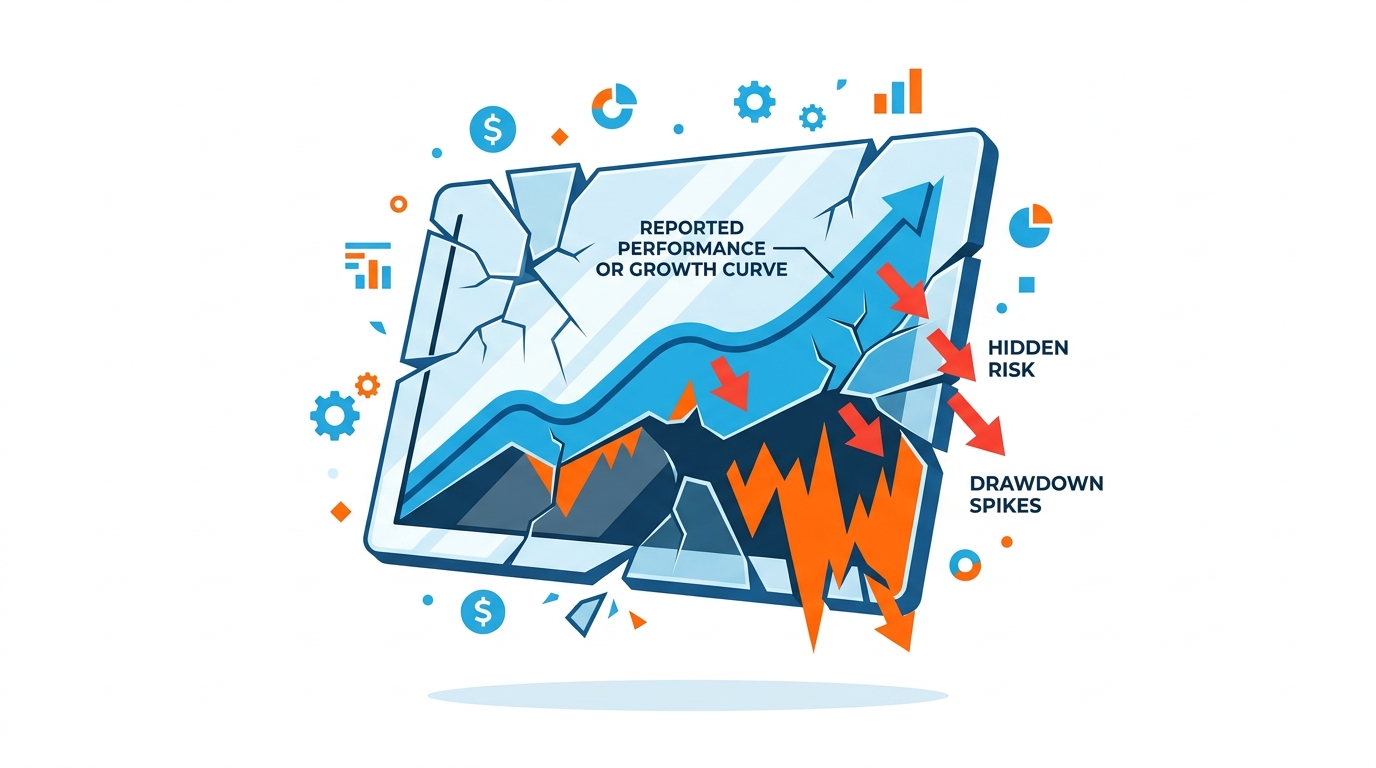
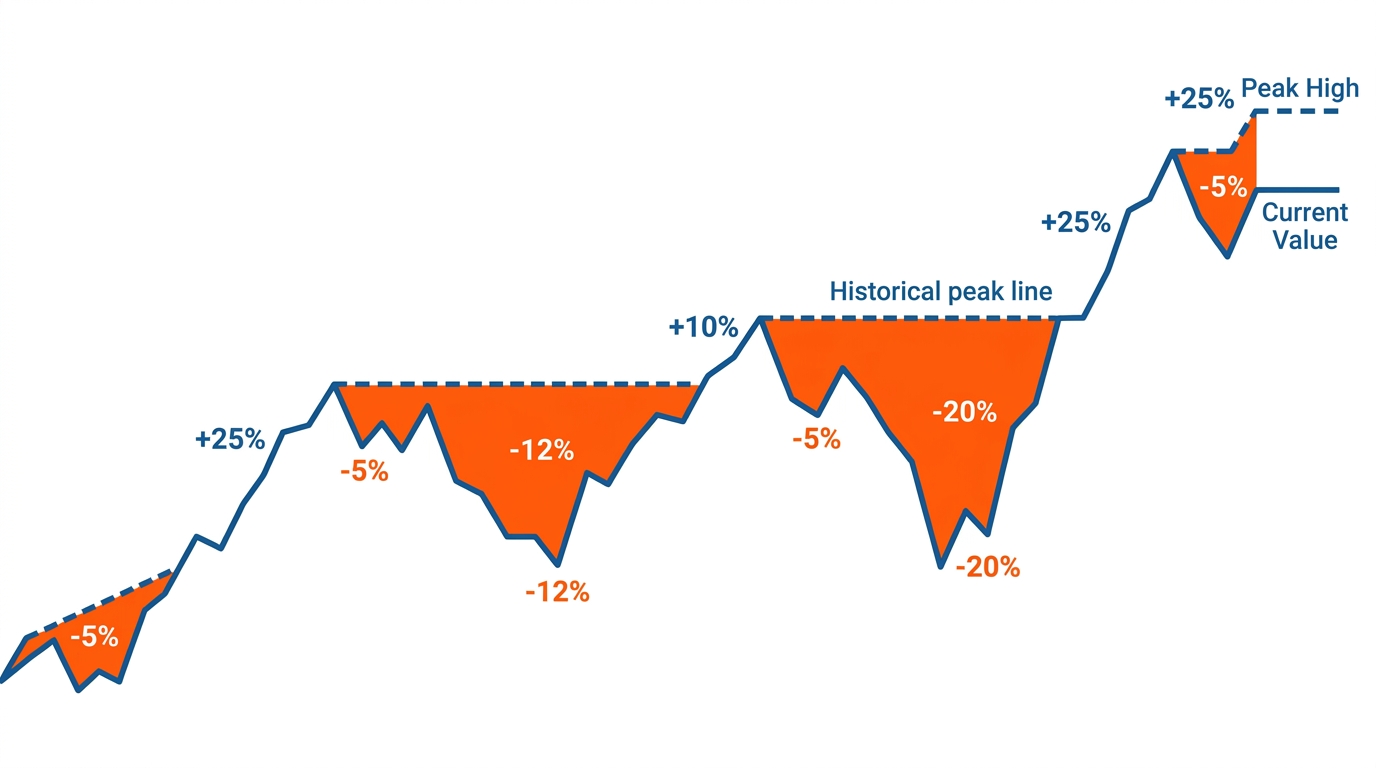
What if your "profitable" strategy actually had multiple 40%+ drawdowns that would wipe out most retail accounts? Equity curves without maximum drawdown (MDD) visualization hide the emotional and capital toll of trading.
Key Formula:
1equity = df['Equity']
2peak = equity.cummax()
3drawdown = (equity - peak) / peak * 100
4
5plt.figure(figsize=(12, 6))
6plt.plot(drawdown.index, drawdown, color='red', linewidth=2)
7plt.fill_between(drawdown.index, drawdown, 0, color='red', alpha=0.3)
8plt.title('Strategy Drawdown Profile (%)')
9plt.ylabel('Drawdown %')
10plt.axhline(y=-20, color='orange', linestyle='--', label='Critical Threshold')
11plt.legend(); plt.grid(True, alpha=0.3); plt.show()
This visualization immediately shows risk concentration and recovery times — crucial for position sizing and risk management.
Mistake 4: Cherry-Picking Time Periods and Survivorship Bias in Charts
Does your backtest only show the best 3-year window while ignoring the full market cycle? Selective visualization creates false narratives. Always show full history with clear annotations for major events.
1import plotly.graph_objects as go
2from plotly.subplots import make_subplots
3
4fig = make_subplots(rows=2, cols=1, shared_xaxes=True, vertical_spacing=0.1, row_heights=[0.7, 0.3])
5fig.add_trace(go.Candlestick(x=df.index, open=df['Open'], high=df['High'],
6    low=df['Low'], close=df['Close']), row=1, col=1)
7fig.add_trace(go.Bar(x=df.index, y=df['Volume'], name='Volume'), row=2, col=1)
8fig.update_layout(title='Interactive Full-History Candlestick Chart', xaxis_rangeslider_visible=True, height=700)
9fig.show()
Interactive tools encourage exploration of the entire dataset rather than selectively viewing favorable periods.
Mistake 5: Poor Color Choices and Accessibility Issues
Using red/green without considering colorblind users can mislead. Use high-contrast palettes that distinguish information clearly for all viewers.
Mistake 6: Static Charts Instead of Interactive Dashboards
Modern algo trading benefits from Plotly and Dash for interactivity — zooming, hovering, toggling overlays — enabling deeper exploration than static images alone.
Mistake 7: Forgetting to Visualize Strategy Metrics Holistically
Combine equity curve, drawdown, trade distribution, and heatmaps for a complete picture.
1import seaborn as sns
2
3plt.figure(figsize=(12, 8))
4sns.heatmap(monthly_returns, annot=True, cmap='RdYlGn', center=0, fmt='.1%')
5plt.title('Monthly Returns Heatmap - Seasonality and Consistency Check')
6plt.show()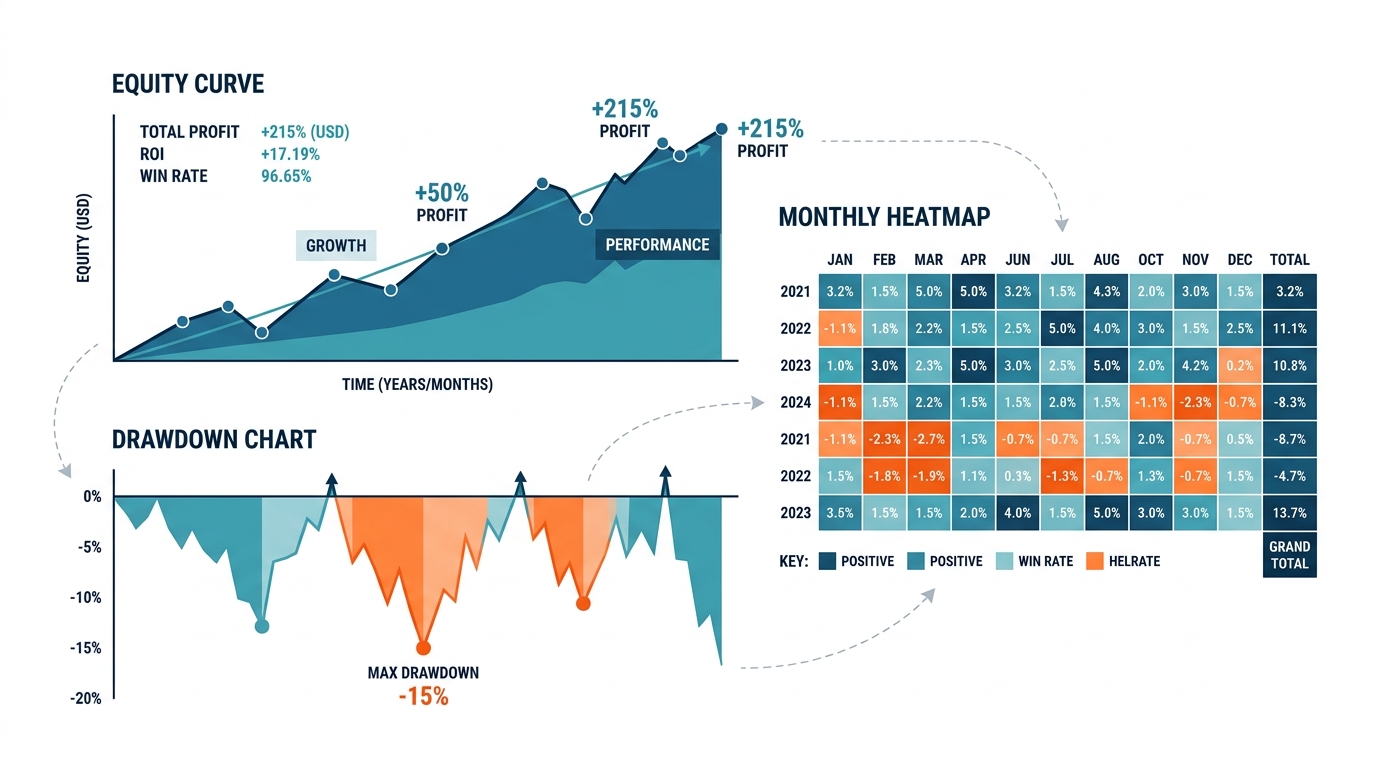
Best Practices for Professional Trading Visualizations
- Always start with price action
- Use appropriate scales (log for prices/equity)
- Show full context with annotations
- Prioritize clarity over complexity
- Make it interactive when possible
Key Takeaways
- Clean visualizations prevent costly mistakes
- Log scales and drawdown charts reveal true risk
- Interactive tools encourage full-data exploration
- Holistic dashboards (equity + drawdown + heatmap) tell the complete story
Conclusion
Data visualization mistakes directly impact your bottom line. The smooth equity curve that hides 30% drawdowns, the linear scale that conceals proportional risk, the cherry-picked time window that excludes losing periods — each of these silently erodes the reliability of your trading decisions.
Audit your charts today against the seven mistakes covered here. Replace indicator overload with clean layered views. Add drawdown panels to every equity curve. Use log scales for long-term performance. Make your charts interactive. The clarity you gain will translate directly into more robust strategies and sharper trading decisions.